
3D visualisations
Turn flight paths into clear, impactful views using static scenes and scenario-based animations.
 Login
LoginAirspaceIQ | 3D airspace intelligence
Bring routes, operational scenarios and community context into one secure 3D workspace built for clearer decisions and better conversations.
Benefits
Enable best-in-industry community engagement by improving how airports collaborate with communities to achieve sustainable environmental outcomes for all.
Replace fragmented 2D map exports and static communication material with an interactive view of the airport and its surrounding airspace.
Turn flight paths into clear, impactful views using static scenes and scenario-based animations.
Help people search for their postcode or location and understand the flight paths closest to them.
Compare current and proposed flight path options so operational change is easier to understand and discuss.
Product
Explore the live map, follow individual flight paths, see change from ground level, manage operational data and build guided animations in one connected workspace.
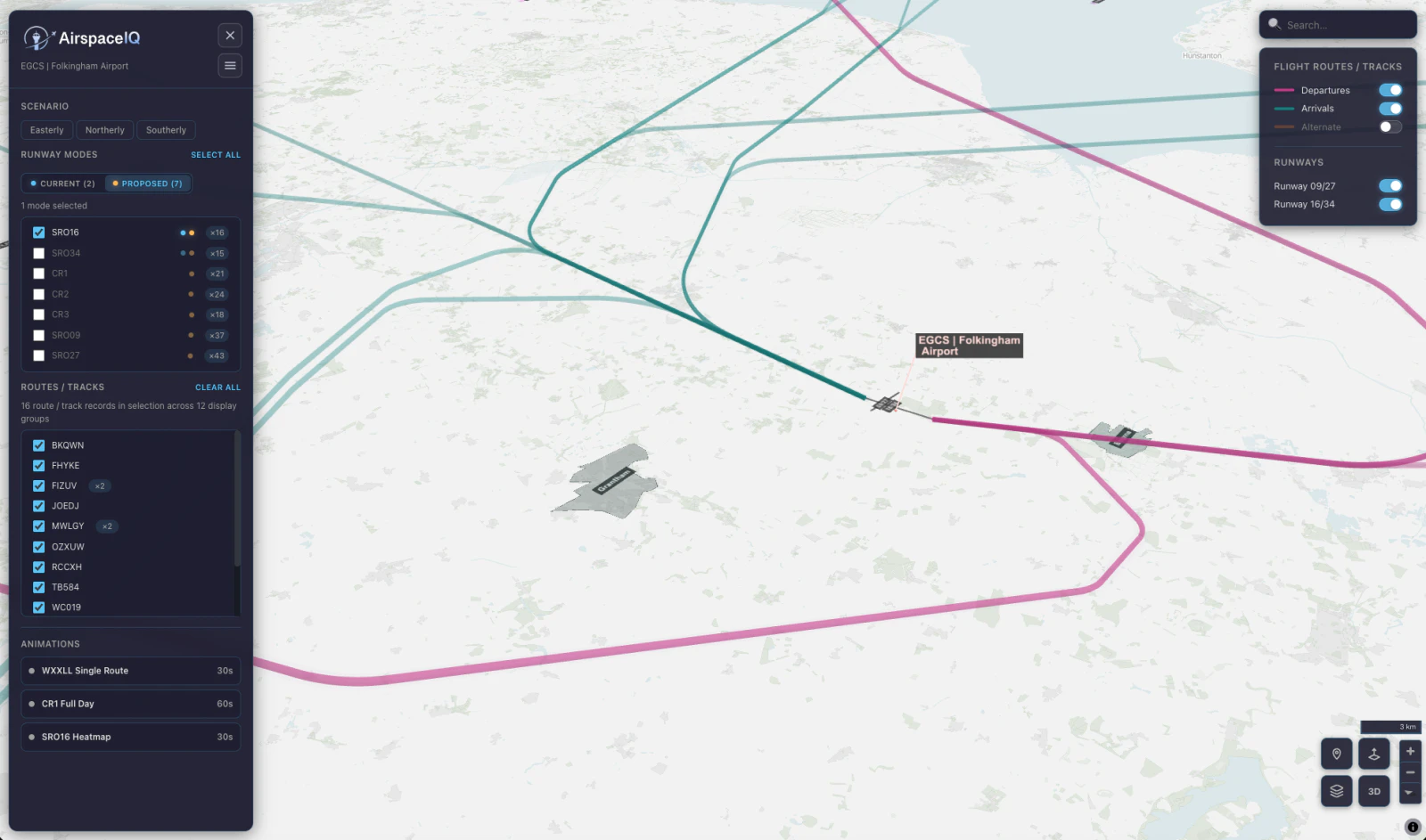
Explore view
Compare runway modes, routes and operational scenarios while keeping the airport and its wider airspace in view.
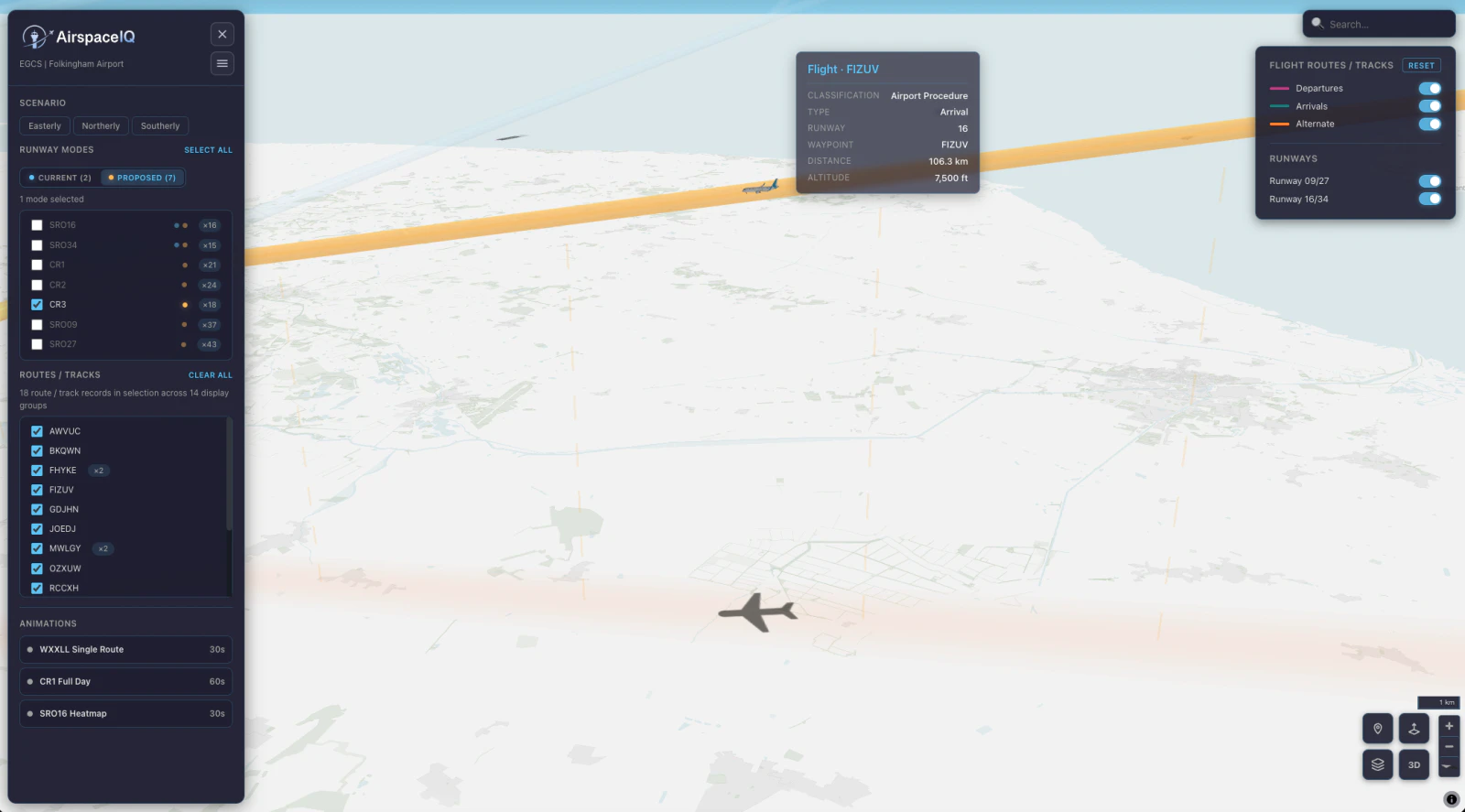
View and inspect
Select a route or aircraft to review its classification, runway, waypoint, distance and altitude directly in the 3D view.
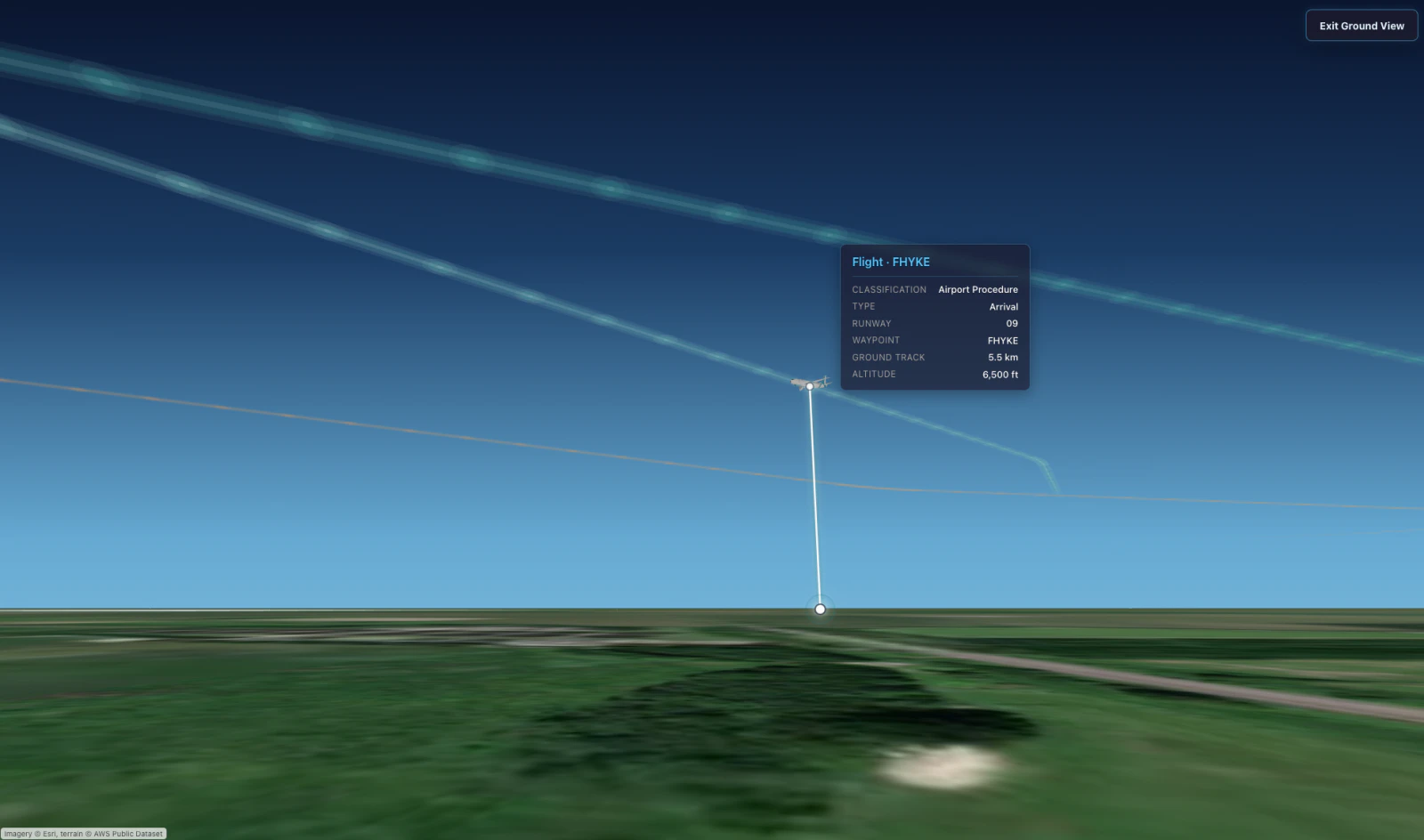
Ground view
Move from the operational map to a ground-level perspective that makes route height and local context easier to understand.
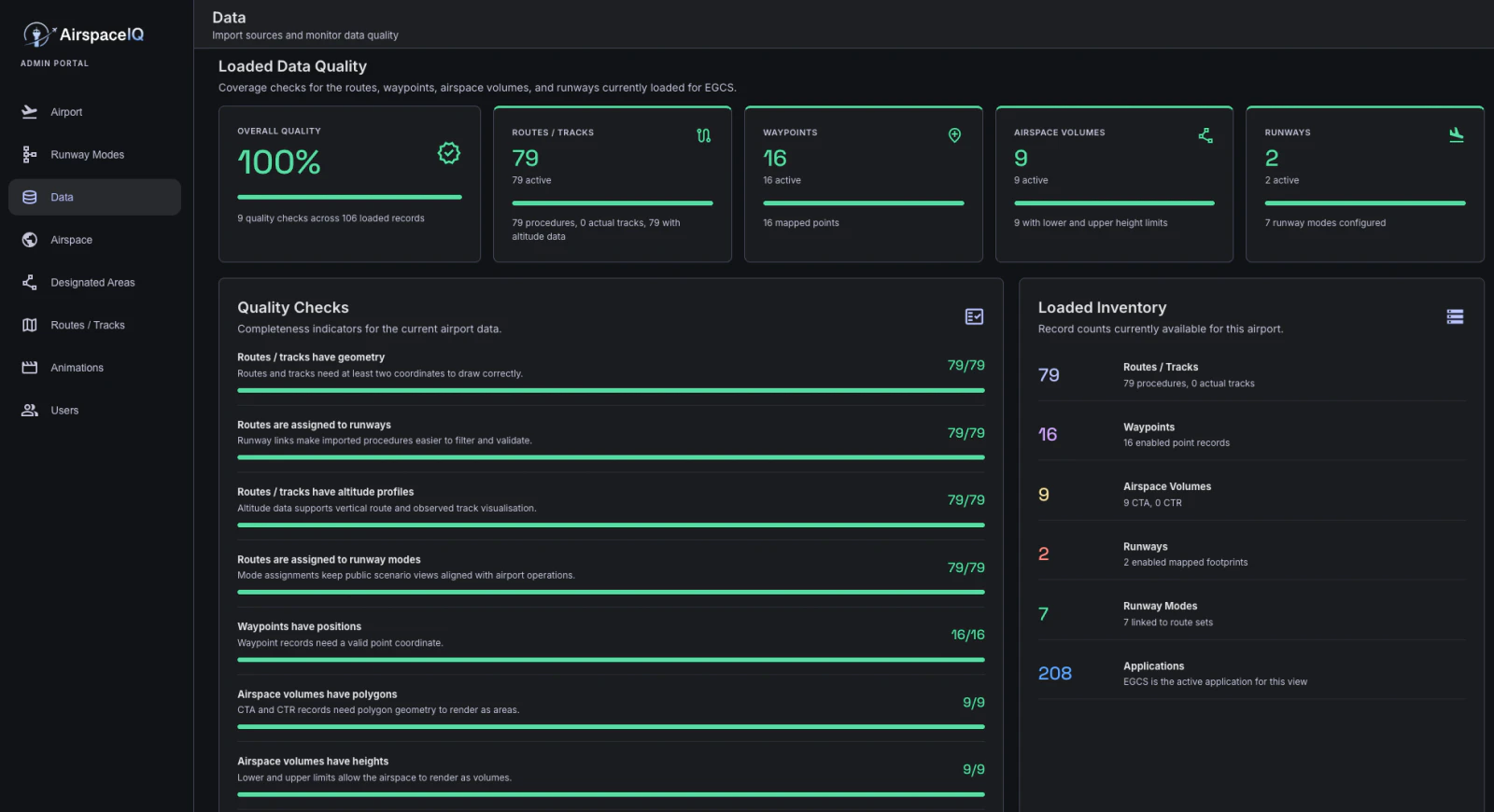
Admin view
Manage the data, scenarios and display settings behind each operational and stakeholder-facing view.
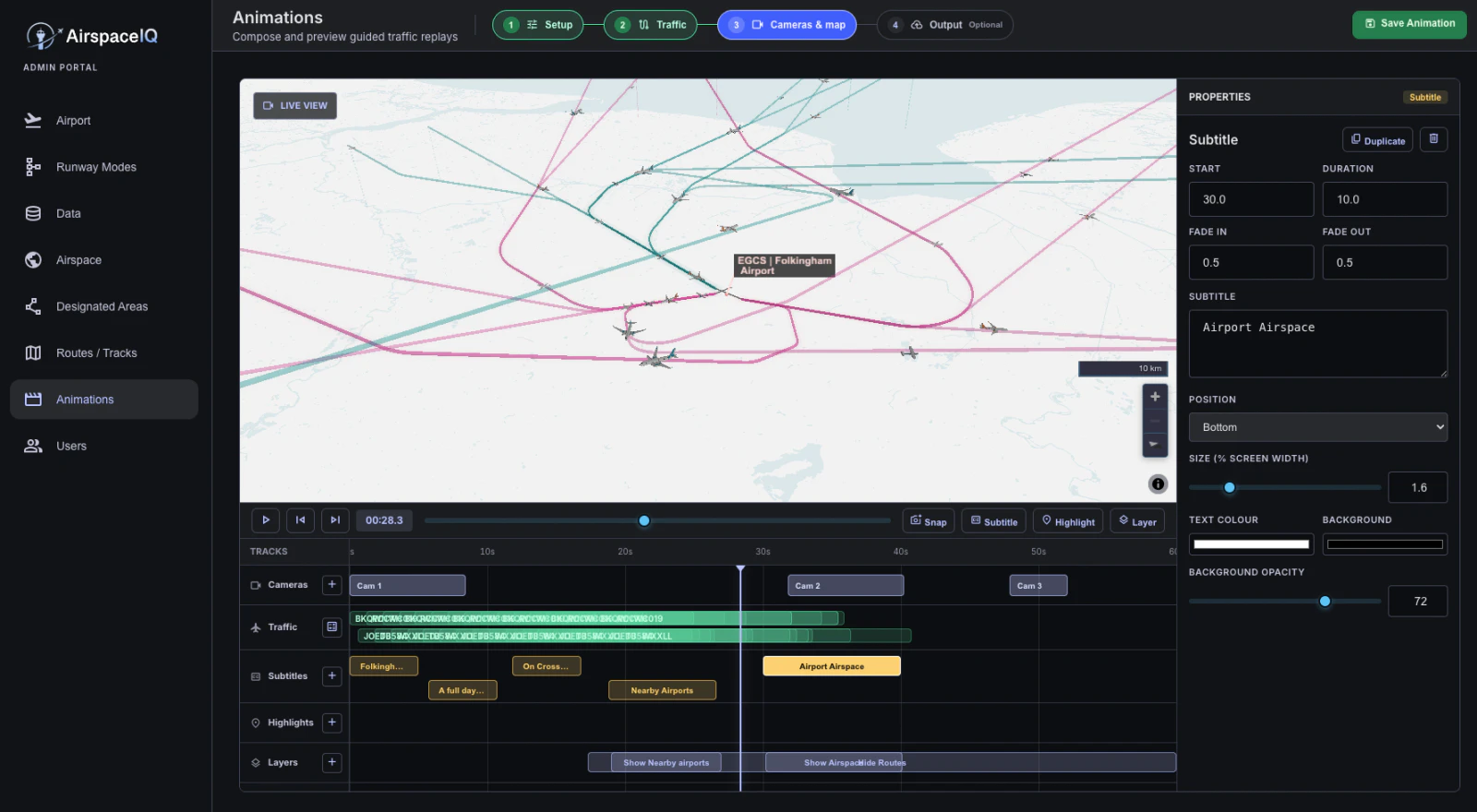
Animation studio
Compose cameras, traffic, subtitles, highlights and map layers on one timeline, then preview the complete story before sharing it.
Capabilities
AirspaceIQ combines technical route and airspace data with operational scenarios so teams can understand and communicate the complete picture.
Capability 01
Inspect routes, airspace and operational scenarios together in one responsive 3D map.
Capability 02
Compare runway configurations and proposed changes without rebuilding presentations by hand.
Capability 03
Give teams direct access to the right configuration while maintaining a secure view across the estate.
Capability 04
Upload, validate and maintain aviation data through a workspace designed for operational teams.
Capability 05
Move from technical modelling to visual evidence for planners, operators, communities and executives.
Capability 06
Use authenticated, scalable cloud infrastructure with direct entry points for each airport or project.
Pricing
Plans are aligned to the size and type of your organisation. Contact us to shape the right configuration. At AirspaceIQ, cost will never be a blocker.
Single Operation
For a single airport evaluation or stakeholder demonstration.
Multi-Airport Operations
For active airport teams coordinating airspace change across multiple airports or projects.
Enterprise
For airport groups, consultants and regulated multi-party programmes.
FAQ
Choose a topic or explore the full list.
Showing 11 questions.
Yes. AirspaceIQ includes an easy-to-use animation creator for building tailored scenarios and exporting them as video.
Choose the map background, add terrain and population context, and import airspace volumes from the AIP or other sources. Additional information can be configured for your project.
AirspaceIQ can attach noise contour information to specific flight paths. This capability is developing, so talk to us about the data and presentation you need.
Yes. AirspaceIQ can visualise actual flight data alongside standard or proposed flight paths.
Yes. Scenario animations can be exported as videos for presentations and stakeholder communications.
AirspaceIQ is securely hosted on the Amazon Web Services (AWS) cloud.
Yes. Direct addresses such as airport.airspaceiq.aero can act as product entry points while preserving the secure login flow.
Yes. Authorised administrators can manage user access for their version of the platform.
AirspaceIQ uses authenticated access and controlled login flows for each airport or project. We can support the security review required by your organisation.
Yes. Teams can load their own data and review the resulting visualisation in the same workspace.
AirspaceIQ supports common geographic formats including KML, KMZ, CSV, GeoJSON, with grouped files supplied as ZIP archives. Talk to us about other formats in your workflow.
Contact
Tell us about your airport or airspace and where you need help. We will set up a walkthrough of AirspaceIQ tailored to your needs.